
Transcripts of online meetings, with speaker names and timestamps
Transcora reads the captions of an online meeting and saves them as a transcript on the website. Afterwards, users review it, filter by speaker, summarize it with AI or download it.
Currently supports Google Meet in the Chrome browser.
How it works
Once installed, the extension records each meeting without further action from the user.
Install the extension and sign in
Add Transcora to Chrome from the Chrome Web Store and sign in with a Google account.
Hold online meetings as usual
The extension turns on the meeting platform's captions, records the text and posts a notice in the chat so participants know the meeting is being recorded.
View transcript on the website
Open the transcript on the website to search, filter by speaker, summarize with AI or download.
Key features
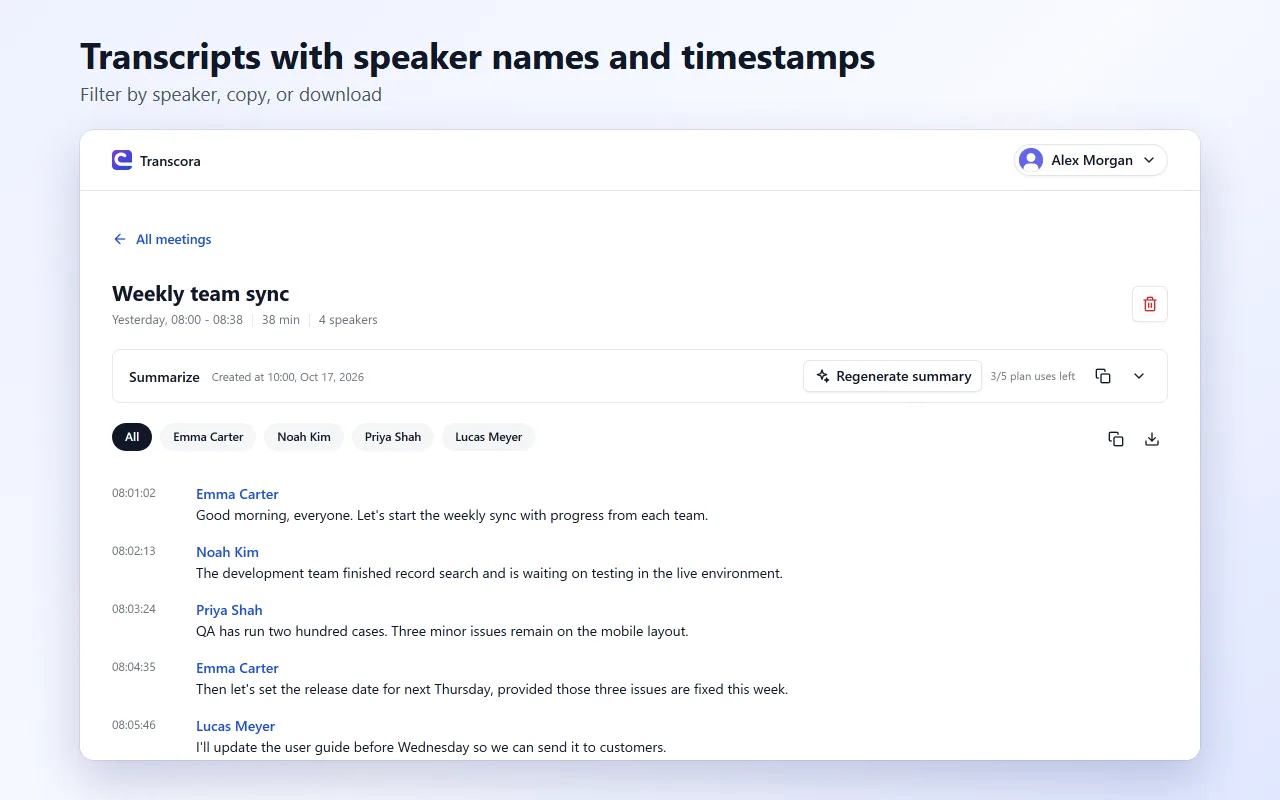
Speaker names and timestamps
Each line carries the speaker and the time, so the transcript follows the meeting as it happened.
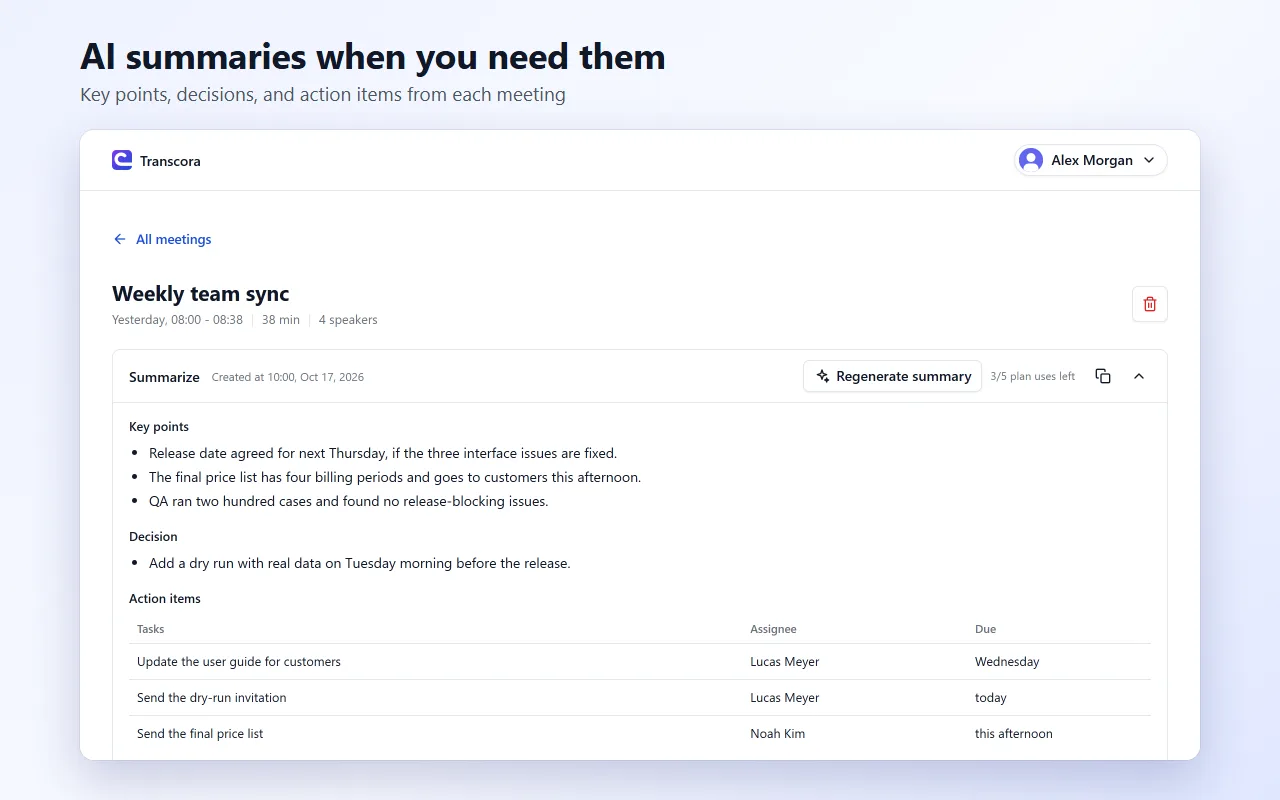
AI summaries
Generate a summary of key points, decisions and action items from the transcript.
Download and copy
Download the transcript as Markdown or copy it to send by email or paste into a document.
Privacy
Transcora only reads captions and does not record audio or video. Users can delete any meeting at any time.
Pricing
Start with the Free plan and upgrade when you need more meetings.
Free plan
- Meeting limit per period
- AI summary limit per period
- Download and copy transcript
Install on desktop Chrome
Pro plan
- Higher meeting limit
- Higher AI summary limit
- Download and copy transcript
- Turn off the recording notice in meetings
For meeting participants
What Transcora records
Transcora records the meeting captions and chat messages. It does not record audio or video.
Who can view the transcript
Only the person who turned on recording can view the transcript, after signing in to their own account.
To have your content deleted
Contact the meeting organizer or email support@taquoc.com.
Full policy
Retention periods and data handling are described in Privacy.
Frequently asked questions
Which meeting platforms does Transcora support?
Google Meet is currently supported, in desktop Chrome.
Do participants know the meeting is being recorded?
Yes. When recording starts, the extension posts a notice in the meeting chat.
Does Transcora record audio or video?
No. Transcora only reads the captions generated by the meeting platform.
Which language does the transcript use?
It follows the caption language the user selects in the meeting platform.
Does the Pro plan renew automatically?
No. The Pro plan is prepaid for 1, 3, 6 or 12 months; when the period ends, the account returns to the Free plan.
Transcribe your next online meeting
Install the extension, sign in with Google and join a meeting.
Add to Chrome – freeInstall on desktop Chrome